Button Control and Actions on Amazfit
Button control is an advanced feature that brings new life to your smart bracelet and offers you countless number of new possibilities by allowing you to assign many of our predefined actions to various button presses.
On GTS 4, GTR 4, GTS 3, GTR 3, GTR 3 Pro, T-Rex 2 this is implemented as music button presses. We're using the next track and previous track music buttons to simulate hardware button. To perform this, you must open music control from your bracelet menu (this is very important when music is not playing as buttons are otherwise not clickable) and then press the next or previous icons to simulate button presses.
Sensor Control
Thanks to our sensor control actions, you can even control volume, media playback or heart rate monitor by simple gestures of your hand. Ever wanted to just put your thumb up to raise volume of your music? With Amazfit Tools, you can do this and much more!
Switch Profile
So you're not overwhelmed with many button presses, we do offer advanced switch profile feature, which basically lets you to navigate through your own custom virtual menu to perform your custom actions. Learn more about profile switching.
Plugin Integration
In addition to our fully customizable integrated button control, we've written an event plugin for you. Use Tasker or other similar automation application to simply setup an event that will let you know when a button on your bracelet was pressed. We'll even provide you variables to tell you how many times that happened. Learn more about plugin integration.
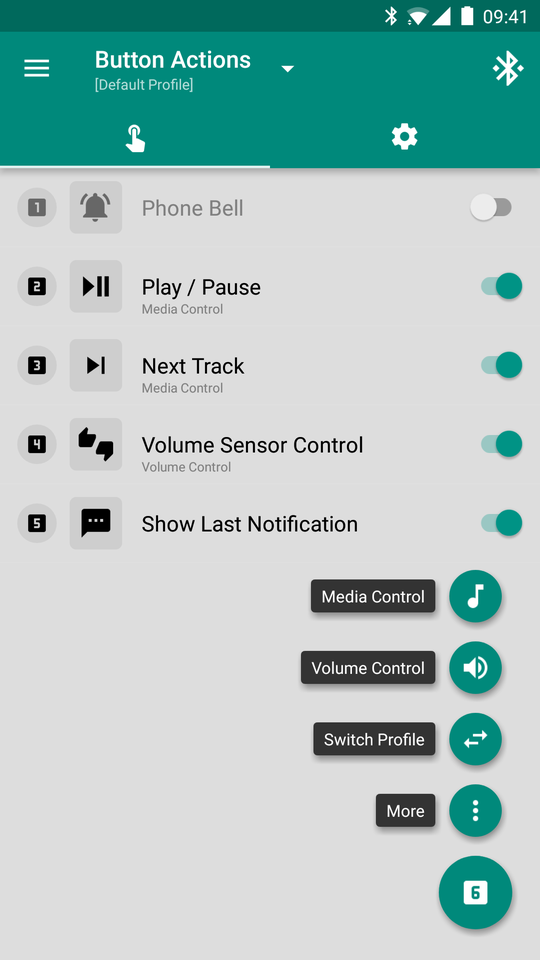
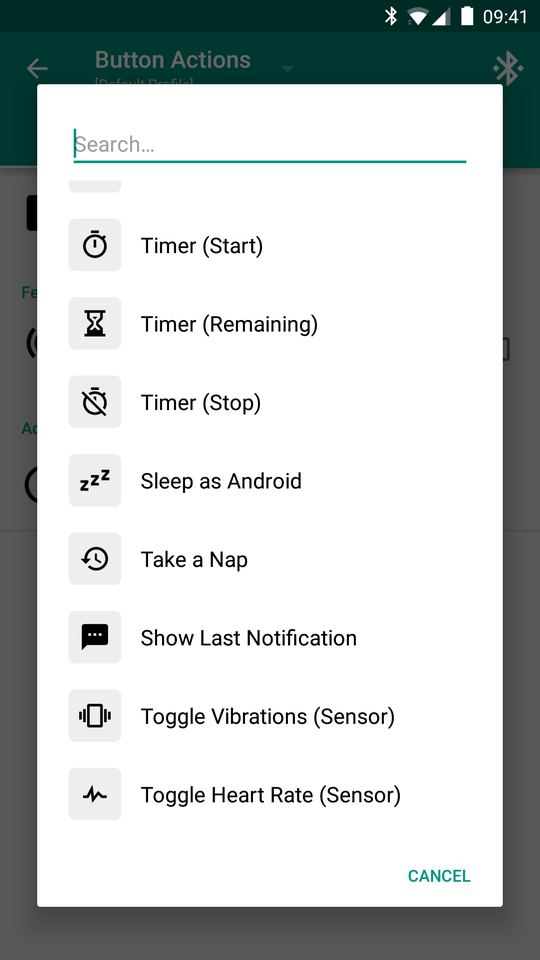
List of Actions
There are many pre-defined actions that you can assign to button presses, you can find description of the most advanced ones below.
- Next Track - To skip to next track, simply perform a thumbs-up gesture for a while
- Previous Track - To go to previous track, simply perform a thumbs-down gesture for a while.
- Confirmation - To confirm your desired media track, put your palm into horizontal position for few seconds.
- Volume Up - To raise volume of your phone, simply perform a thumbs-up gesture for a while.
- Volume Down - To decrease volume of your phone, simply perform a thumbs-down gesture for a while.
- Confirmation - To confirm your desired volume, put your palm into horizontal position for few seconds.
This is extremely useful when you're for example trying to find your silenced phone or when you're riding a bicycle - simply press a button on your bracelet to make a bell sound and alert your surroundings.
Timer (start / stop / remaining) action helps you to quickly setup timer (countdown) for your custom interval. When you invoke this action, Amazfit Tools will wait for a short period of time for additional button presses to determine length of this interval.
Each additional button press adds certain configurable number of minutes to the countdown interval.
Take a Nap action helps you to quickly setup power nap (short sleep) to revitalize your brain. When you invoke this action, Amazfit Tools will wait for a short period of time for additional button presses to determine length of the power nap.
Each additional button press adds certain configurable number of minutes to its length. Notifications are automatically disabled while power-napping.

Toggle vibrations sensor control is an advanced feature that lets you change vibration modes by simple gestures of your hand!
After you execute this action, Amazfit Tools will analyze live sensor data from your bracelet to determine position of your thumb. Your thumb position indicates desired action.
- Vibrations Enabled - To enable vibrations, simply perform a thumbs-up gesture for a while.
- Vibrations Disabled - To disable vibrations, simply perform a thumbs-down gesture for a while.
- Vibrations Enabled (Top Priority) - To enable vibrations in top priority mode, put your palm into horizontal position for few seconds. While in top priority mode, notifications are executed at any time and under any circumstances.

- Heart Rate Enabled (Continuous Mode) - To enable heart rate monitor in continuous mode, simply perform a thumbs-up gesture for a while.
- Heart Rate Disabled - To disable heart rate monitor, simply perform a thumbs-down gesture for a while.
- Heart Rate Enabled - To put your heart rate monitor into normal interval mode, put your palm into horizontal position for few seconds.

- count (int) = count configured for this action
- profile (String) = name of the active profile
And much more ...